The open-source Hubstaff alternative · macOS & Windows

See where work time actually goes.

A free, open-source Hubstaff alternative for macOS & Windows. BiBoTracking measures active app & window time, keystroke volume, periodic screenshots and browser activity — stored locally on each computer, and rolled up for owners in a clean web dashboard.

Free for 2 years, then $1/month · open source & self-hostable · Universal macOS (Apple Silicon + Intel) & Windows 10+.
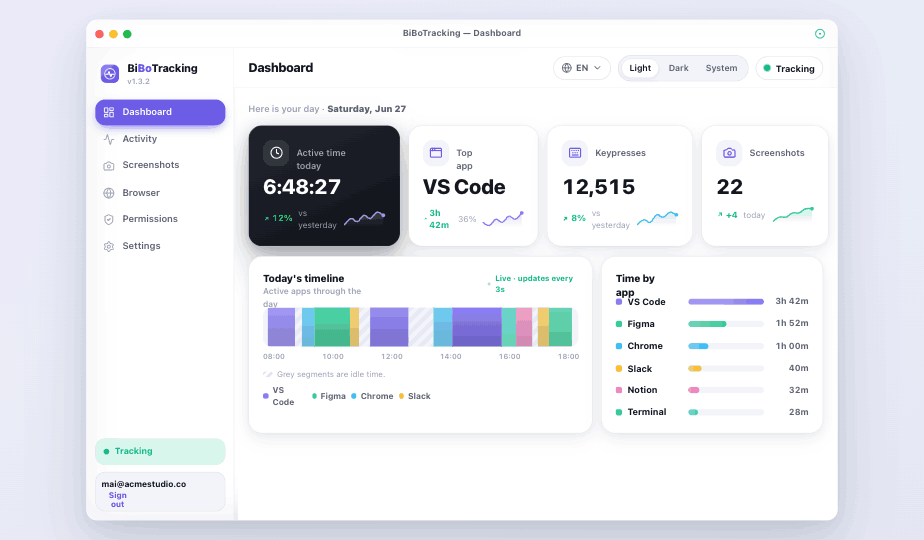
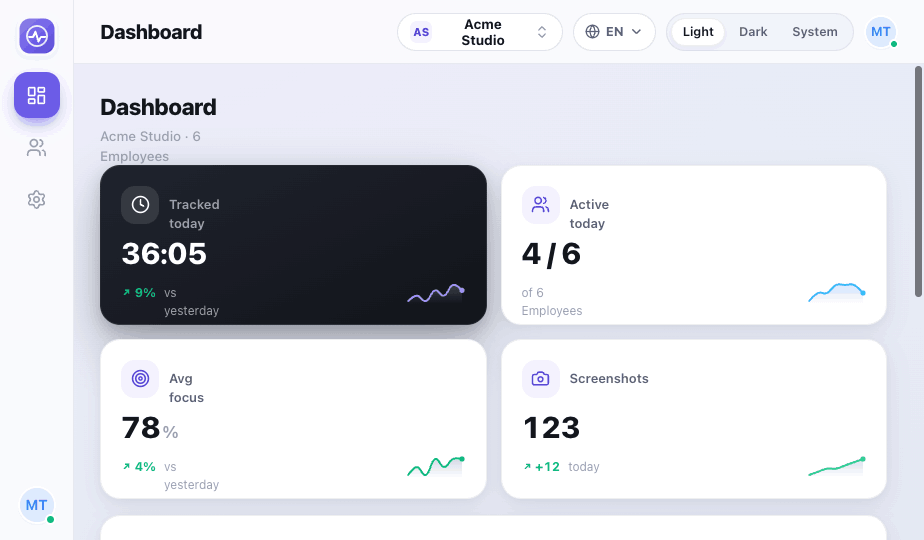
BiBoTracking desktop dashboard showing active time, top app, keypresses and screenshots
Active today
58m 30s
4signals tracked
100%stored locally first
<50 KBper screenshot
0keystrokes recorded

Who it's for

One tracker, three ways to use it.

Track just yourself, your team, or your family — the same honest signals and local-first privacy. You decide who, if anyone, sees the data.

🧍

Just you

Track your own app time, activity and screenshots — 100% local. No account, and nothing ever leaves your computer.

No account needed
👥

Your team

Active time, screenshots and activity for staff or freelancers, rolled up for you in one clean web dashboard.

Free account
👨‍👩‍👧

Your family

Keep an eye on your kids' screen time with the same gentle, transparent signals — so you can talk about it together.

Free account

What it captures

Everything that matters. Nothing that doesn't.

Four lightweight signals give an honest picture of the workday — without screen-scraping content or logging what people type.

App & window time

Idle-aware active time per app and window. Idle gaps are hatched out, not counted.

Keystroke volume

Counts only — a measure of typing activity. Actual keys are never captured or stored.

Periodic screenshots

Automatic captures on a set interval, compressed under 50 KB, with an auto-delete retention window.

Browser pages & time

A featherweight Manifest V3 extension reports active page and time — to the local app only.

Local-first storage

Everything lands in a single local SQLite file. Sync to the owner dashboard is optional and one-way.

Menu-bar status

A quiet menu-bar (system-tray on Windows) indicator shows tracking, idle or paused — and lets you start, stop or open the app.

See it in action

A quick look, both sides.

The desktop app the employee runs, and the web dashboard owners sign in to. Real product, real data.

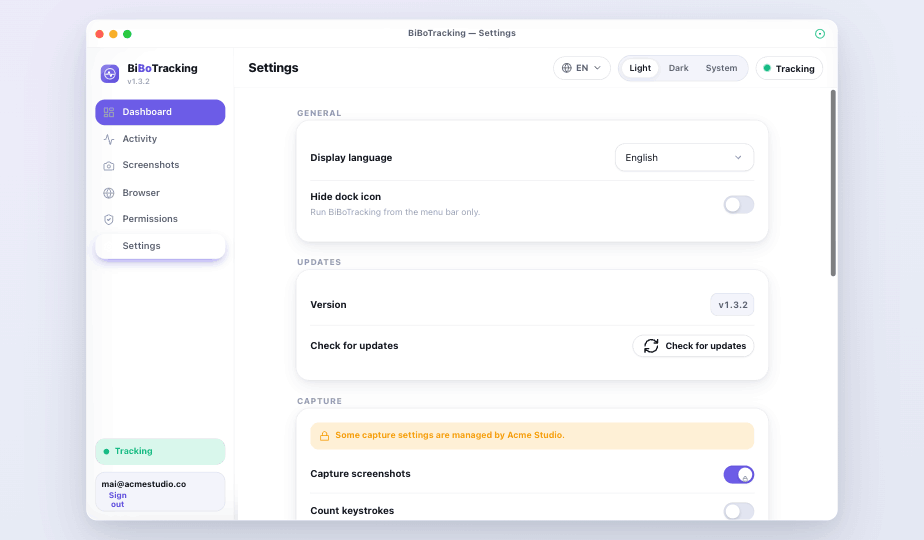
The desktop app — dashboard, activity, screenshots, browser and org-managed settings.

bibotracker.com/admin

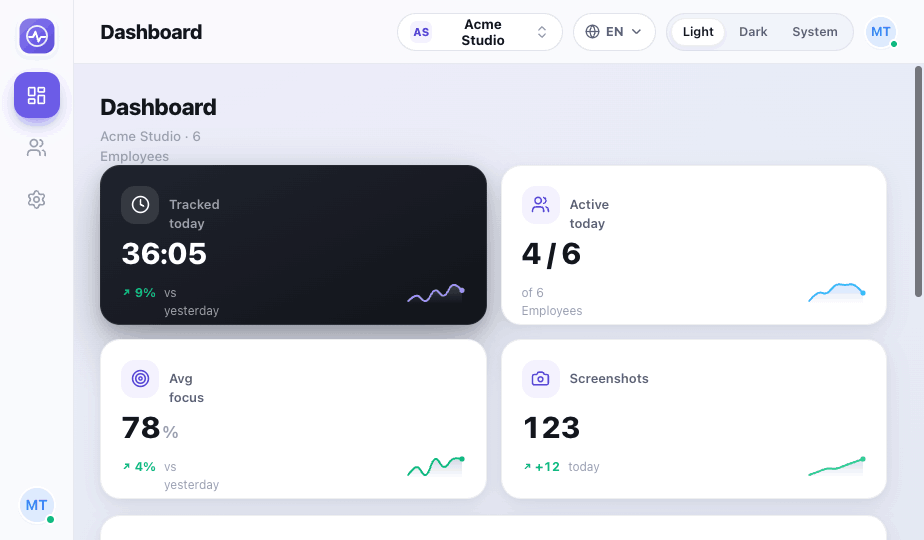
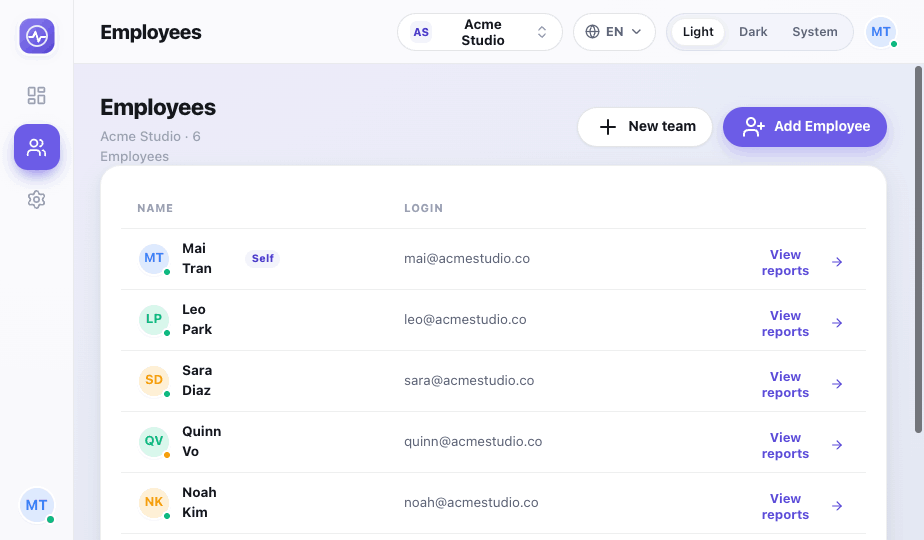
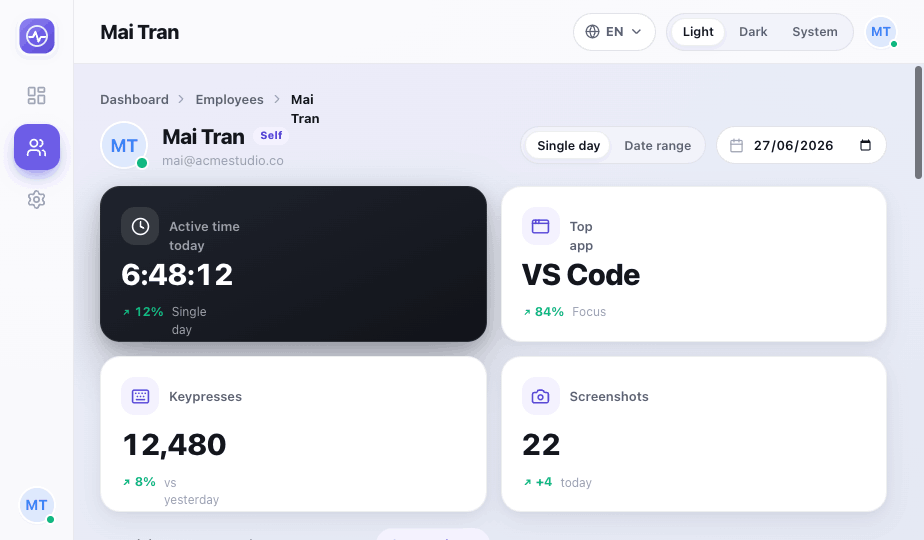
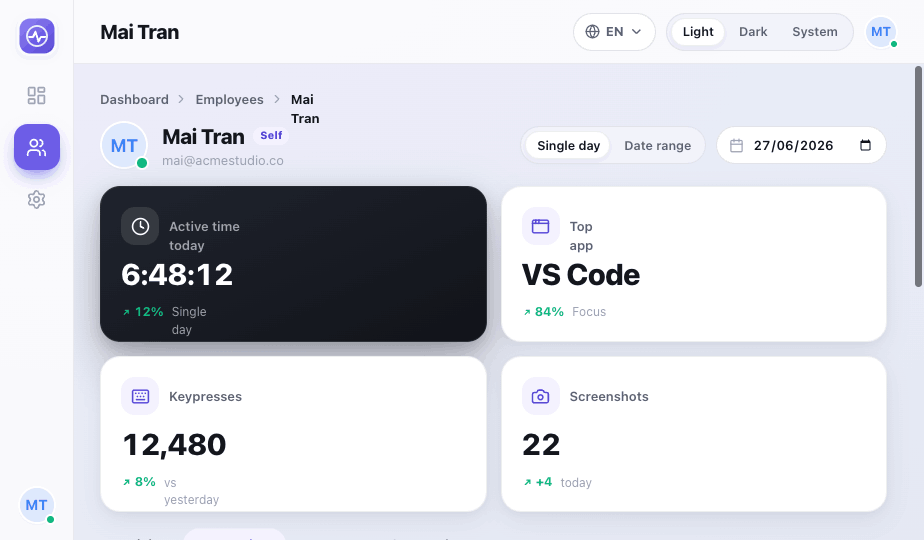
The owner dashboard — drill into any employee's activity, keystrokes, browser and screenshots.

How it works

Up and running in three steps.

1

Install the desktop app

The employee installs BiBoTracking on macOS or Windows and grants the requested capture permissions (Accessibility, Input Monitoring and Screen Recording on macOS). Status auto-updates the moment they're granted.

2

Add the Chrome extension

Optional. The Manifest V3 extension auto-discovers the local app and reports browser pages to 127.0.0.1 — never to the cloud. Get it on the Chrome Web Store →

3

Owners watch the rollup

Activity syncs one-way to the dashboard, where owners review time, keystrokes, browser history and screenshots per employee.

Inside the product

Built for clarity, on both ends.

The same data, presented for whoever's looking — flat, minimal, dark or light.

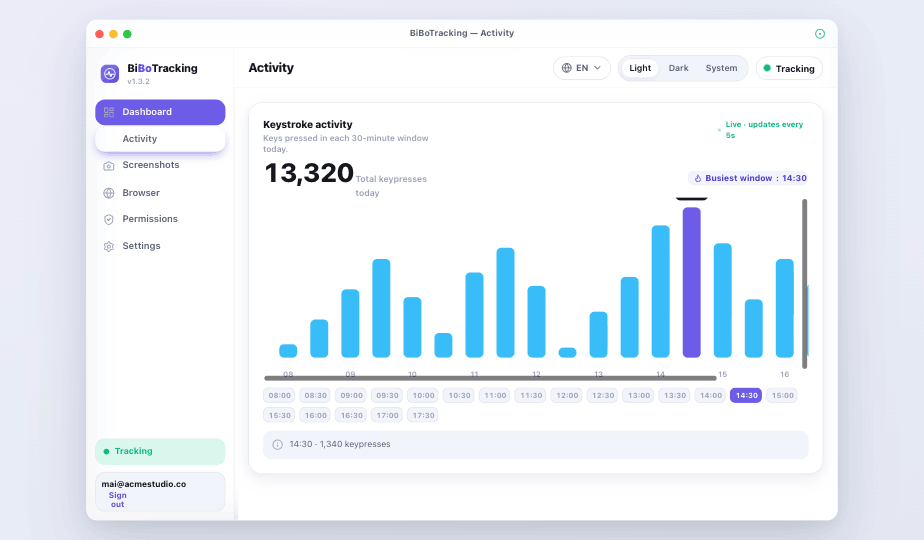
Keyboard activity chart
Activity — keystroke volume over the day, counts only.
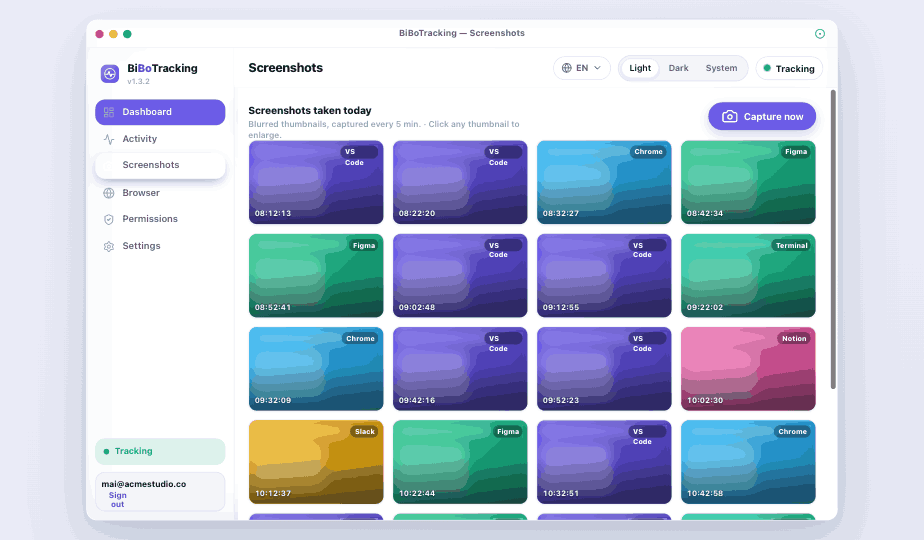
Screenshot gallery
Screenshots — periodic captures with retention.
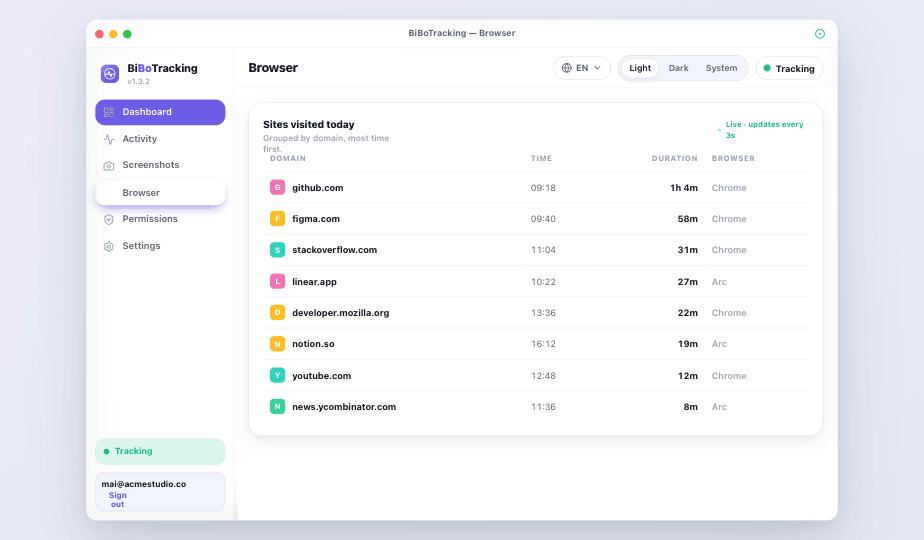
Browser top sites
Browser — top sites by time and page visits.
Settings with org-managed capture policy
Settings — capture policy managed by the organization.
/admin
Team dashboard
Team overview — last seen & active time per employee.
/admin/employees
Employee activity breakdown
Activity — per-app breakdown for any day or range.
/admin/employees
Keystroke volume chart
Keystrokes — typing volume, never content.
/admin/employees
Screenshot gallery in web admin
Screenshots — each under 50 KB, with timestamps.

BiBoTracking vs Hubstaff

The same core tracking, without the per-seat bill.

If you use Hubstaff for app, screenshot and activity monitoring, you already know the workflow. This is the open-source, local-first version — for a flat price, or free if you host it yourself.

Feature Employee Tracker Hubstaff
PriceFree 2 yrs, then $1/mo flatPaid, per user / month
Open sourceYesNo
Self-hostableYesNo
Local-first storageYesCloud only
App & window timeYesYes
Automatic screenshotsYesYes
Activity / keystroke levelYes — counts onlyYes
Browser / URL trackingYesYes
Owner web dashboard & reportsYesYes
No per-seat pricingYesNo

Comparison based on publicly listed Hubstaff plans and features. “Hubstaff” is a trademark of its respective owner; BiBoTracking is not affiliated with or endorsed by Hubstaff.

Privacy by design

Monitoring that respects the person.

Transparency isn't a setting — it's how the product is built.

Keys are never recorded

The keyboard signal is a count of presses per bucket. The keys themselves are never read or stored.

Local-first storage

All activity lands in a local SQLite file. Sync to the dashboard is optional, one-way and idempotent.

Domain-only option

Browser tracking can store just the domain instead of the full URL — your policy, your call.

Retention you control

Screenshots auto-delete past a set window, and the whole capture policy is managed centrally by the org.

Pricing

Free for two years. Then a dollar.

No trials, no seats to count, no credit card to start. Just install and go.

After 2 years
$1 / month

A single flat dollar a month keeps the hosted service running. That's it.

  • Everything in the free period
  • Continued hosted sync & storage
  • Or self-host it for free, forever
See self-hosting

Open source

Don't want to pay? Host it yourself.

BiBoTracking is open source — the Go backend, web dashboard, desktop app (macOS & Windows) and Chrome extension are all yours to read, audit and run on your own machine, free forever. The hosted service here is just the convenient option.

Self-host the whole stack

One Go binary serves the API and dashboard, backed by Postgres. Your infrastructure, your rules.

Inspect everything

Read the source and verify exactly what's captured — and what never leaves the device.

No lock-in

Your data lives in your own SQLite and Postgres. Export it, move it, keep it — anytime.

View source on GitHub Star us on GitHub if you find it useful — it really helps.

Free for your first two years.

Download the desktop app and sign up — no card, no trial clock. After two years it's just $1/month, or self-host it for free.